> ## Documentation Index
> Fetch the complete documentation index at: https://unstructured-53-docs-243-plugins.mintlify.site/llms.txt
> Use this file to discover all available pages before exploring further.
# Account usage
If you signed up for Unstructured through the [For Enterprise](https://unstructured.io/enterprise) page, or if you are using a self-hosted deployment of Unstructured, the following information
might apply differently to you. For details, contact Unstructured Sales at [sales@unstructured.io](mailto:sales@unstructured.io).
To view usage details for your Unstructured account, do the following:
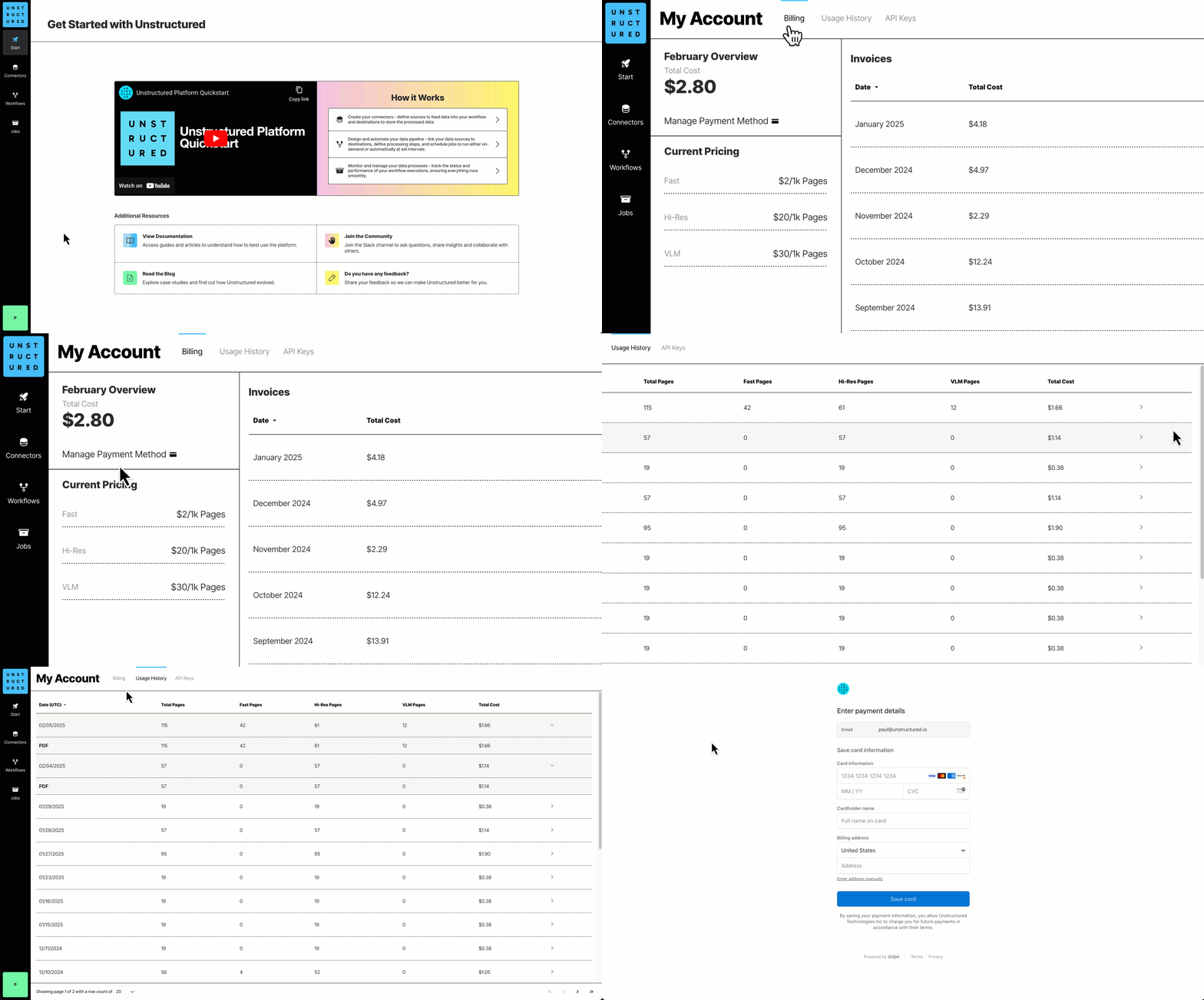 1. Sign in to your Unstructured account, at [https://platform.unstructured.io](https://platform.unstructured.io).
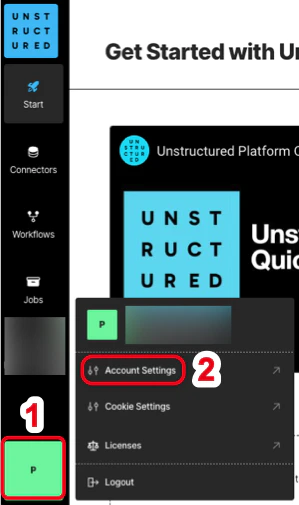
2. At the bottom of the sidebar, click your user icon, and then click **Account Settings**.
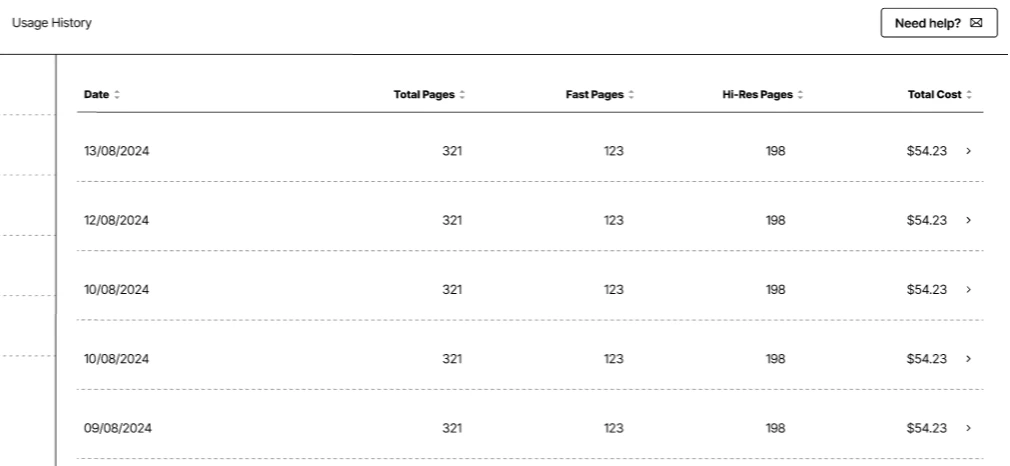
3. Click the **Usage History** tab.
## How is usage calculated for billing purposes?
We calculate a page as follows:
* For these file types, a page is a page, slide, or image: .pdf, .pptx, and .tiff.
* For .docx files that have page metadata, we calculate the number of pages based on that metadata.
* For all other file types, we calculate the number of pages as the file's size divided by 100 KB.
* For non-file data, we calculate a page as 100 KB of incoming data to be processed.
The **Billing** tab shows your account's current billing rate per page.
To complete billing-related tasks in your account, see [Account billing](/ui/account/billing).
1. Sign in to your Unstructured account, at [https://platform.unstructured.io](https://platform.unstructured.io).
2. At the bottom of the sidebar, click your user icon, and then click **Account Settings**.
3. Click the **Usage History** tab.
## How is usage calculated for billing purposes?
We calculate a page as follows:
* For these file types, a page is a page, slide, or image: .pdf, .pptx, and .tiff.
* For .docx files that have page metadata, we calculate the number of pages based on that metadata.
* For all other file types, we calculate the number of pages as the file's size divided by 100 KB.
* For non-file data, we calculate a page as 100 KB of incoming data to be processed.
The **Billing** tab shows your account's current billing rate per page.
To complete billing-related tasks in your account, see [Account billing](/ui/account/billing).